
Appointment reminders
that actually get opened.
Generated photo reminders cut no-shows. Syncros coordinate team standups, multi-step client onboarding, and recurring service notifications across every device.

Trusted by 1 million+ reminders delivered since 2010.
One Syncro handles the whole appointment.
Who it goes to, the steps inside, and when it fires. Confirmations come back to you without a single phone call.
Your clients
Text and email work out of the box. No app required.
Moment
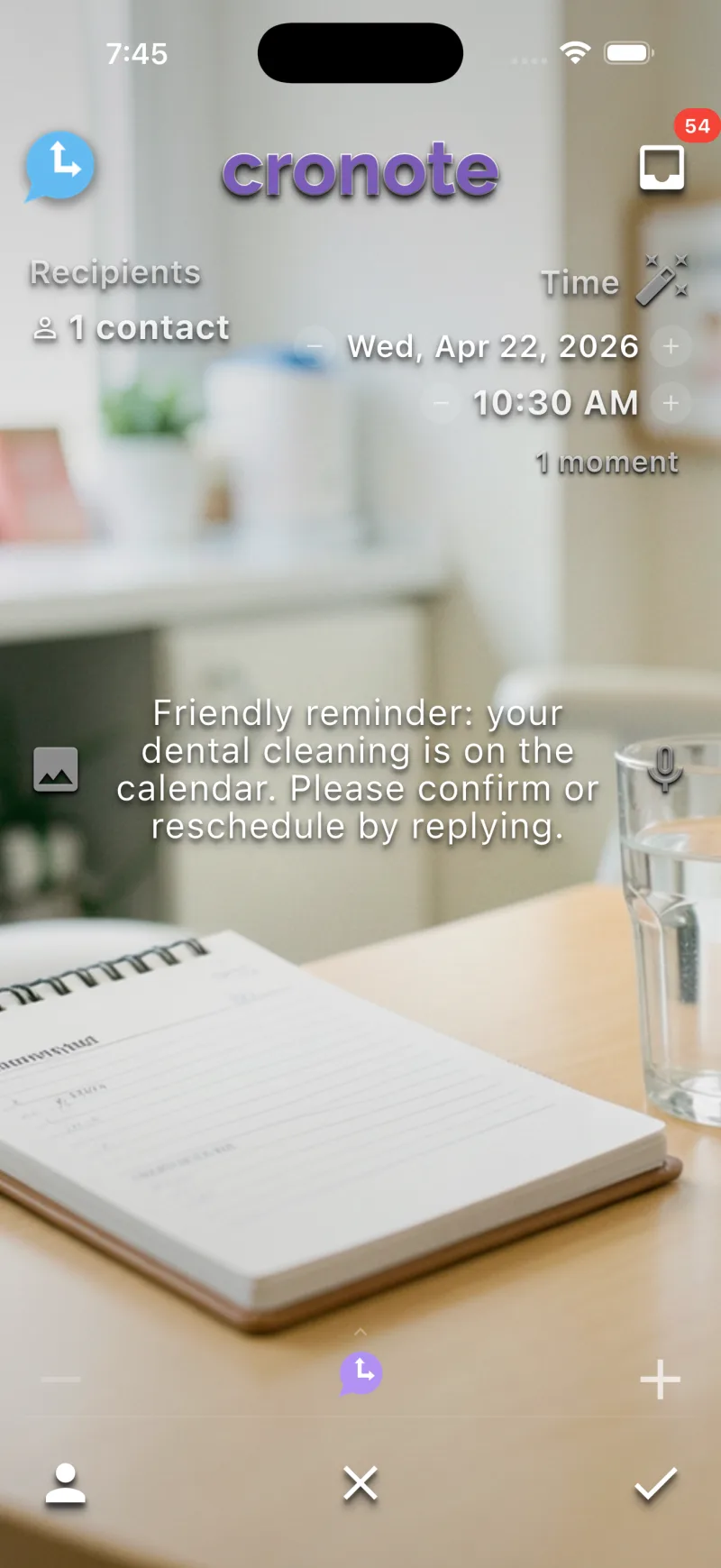
"Your appointment is tomorrow at 11am" arrives with a photo of your shop, not just text.
Decision
Confirm or reschedule with one tap. You see every response as it lands.
Schedule
The day before each appointment, automatically.
Make your message impossible to ignore.
A reminder with a relevant photo lands harder than plain text. Cronote generates the image automatically. No design tools, no stock-photo licensing, no extra step.
Built for service businesses.
- Salons & barbers: "Your trim is tomorrow at 11am", with a photo of the chair, not just text.
- Dental & medical: Cleanings, follow-ups, prescription pickups, all on auto.
- Photographers: Session reminders with the location image attached.
- Real estate: Open house alerts with the property photo built in.
- Therapists & counselors: Session reminders that respect the privacy of the message body. Intake, follow-up, and check-in reminders on a schedule.
- Medical & dental: Patient reminders with images. Cleanings, follow-ups, prescription pickups, all on auto.
- Trades: "We arrive between 9am and 11am". To one phone or fifty.
Set the cadence once.
Send a reminder one week out, one day out, and 30 minutes before, all automatically. Personalized with first name, date, and any custom field.
1 week before
Save the date, with photo and date in the body.
1 day before
Quick reminder. Confirmation link if you need it.
30 min before
Final nudge. Address, parking, what to bring.
Day after
Optional follow-up. Review request, next-booking link.
Each step can hit a different channel: email for the save-the-date, SMS for the day-of, push for the 30-minute warning. Whatever your client opens fastest.
Coordinate the team, not just the client.
Daily standups. Friday wins recap. Multi-step onboarding flows that fire on every team phone at the same minute.
Decision Sync
Daily blocker check at 9am. "What's blocking you today?" Live tally, results visible to the whole team.
Inspire Sync
Monday morning team affirmation. Generated, never repeats, fresh each week, written from your own seed prompt.
Chained onboarding
New client onboarding as a single Syncro: welcome Moment, Decision Sync about preferences, then generated next steps.
Pay only for the people you reach.
Every feature is free, with app and email delivery included. Text messages use one credit each: buy a one-time pack, no monthly fee, and credits never expire. Clients on Cronote get free app delivery. Existing subscribers keep their plans.
Free
- App and email reminders included
- Generated image reminders
- All Syncros
- Recurring schedules
- 10 free text credits to start
500 texts
- Great for groups and clients
- No monthly fee, ever
Cut no-shows. Keep clients on track.
Free plan, no credit card. Send your first generated-image reminder in 60 seconds.